📥 Install guide · Firestick

Apollo Group TV App — Download, Firestick Install & Setup Guide

Apollo Group TV download for Firestick in about 5 minutes. Use the free Downloader app, enter the Apollo Group TV downloader code we email you after sign-up, paste your activation code — done. Below is the full step-by-step Apollo Group TV installation walkthrough with screenshots from every Firestick screen you'll see.

⏱️ 5 minutes

Total Apollo Group TV install time

🆓 Free APK

Apollo Group TV app costs nothing to download

📱 Easy

No computer or USB drive needed

🔥 All Firestick

Stick, Lite, 4K, 4K Max, Cube

Before you start

What you need before you install Apollo Group TV on Firestick

A short checklist. If you have these four things, you can complete the Apollo Group TV install on Firestick in 5 minutes.

🔥

An Amazon Firestick

Any generation — original Stick, Lite, 4K, 4K Max, or Fire TV Cube. The Apollo Group TV app for Firestick is the same APK across all of them.

📶

A Wi-Fi connection

5–10 Mbps minimum for HD, 25 Mbps+ for 4K. The Apollo Group TV download itself is small — about 30 seconds on a normal connection.

📧

Apollo Group TV downloader code

Free with a 24-hour trial (no card) or any paid plan. We email the Apollo Group TV download code in 1–5 minutes after sign-up.

🔑

Apollo Group TV activation code

Comes in the same email as the downloader code. You'll paste it into the Apollo Group TV app after installation to unlock 29,000+ channels.

Step-by-step

How to download the Apollo Group TV APK on Firestick — 12 steps

Each step has a screenshot from the actual Firestick screen. Follow them in order. The whole Apollo Group TV installation takes about 5 minutes start to finish.

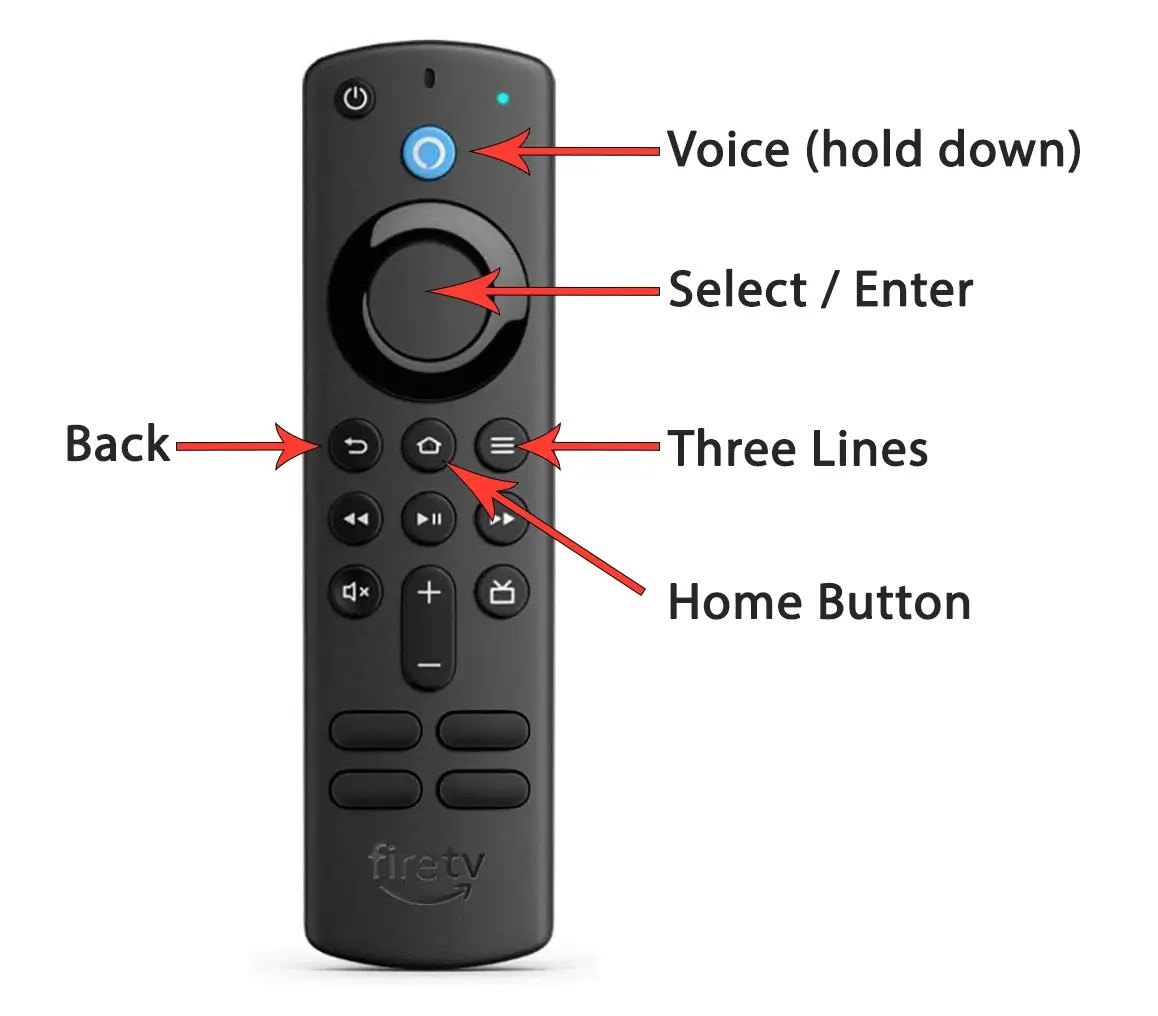
Amazon Firestick remote — start the Apollo Group TV install
1

Pick up your Firestick remote

Power on your TV and your Amazon Firestick. Make sure the Firestick is connected to your home Wi-Fi — the Apollo Group TV download won't work over a guest network with isolation enabled.

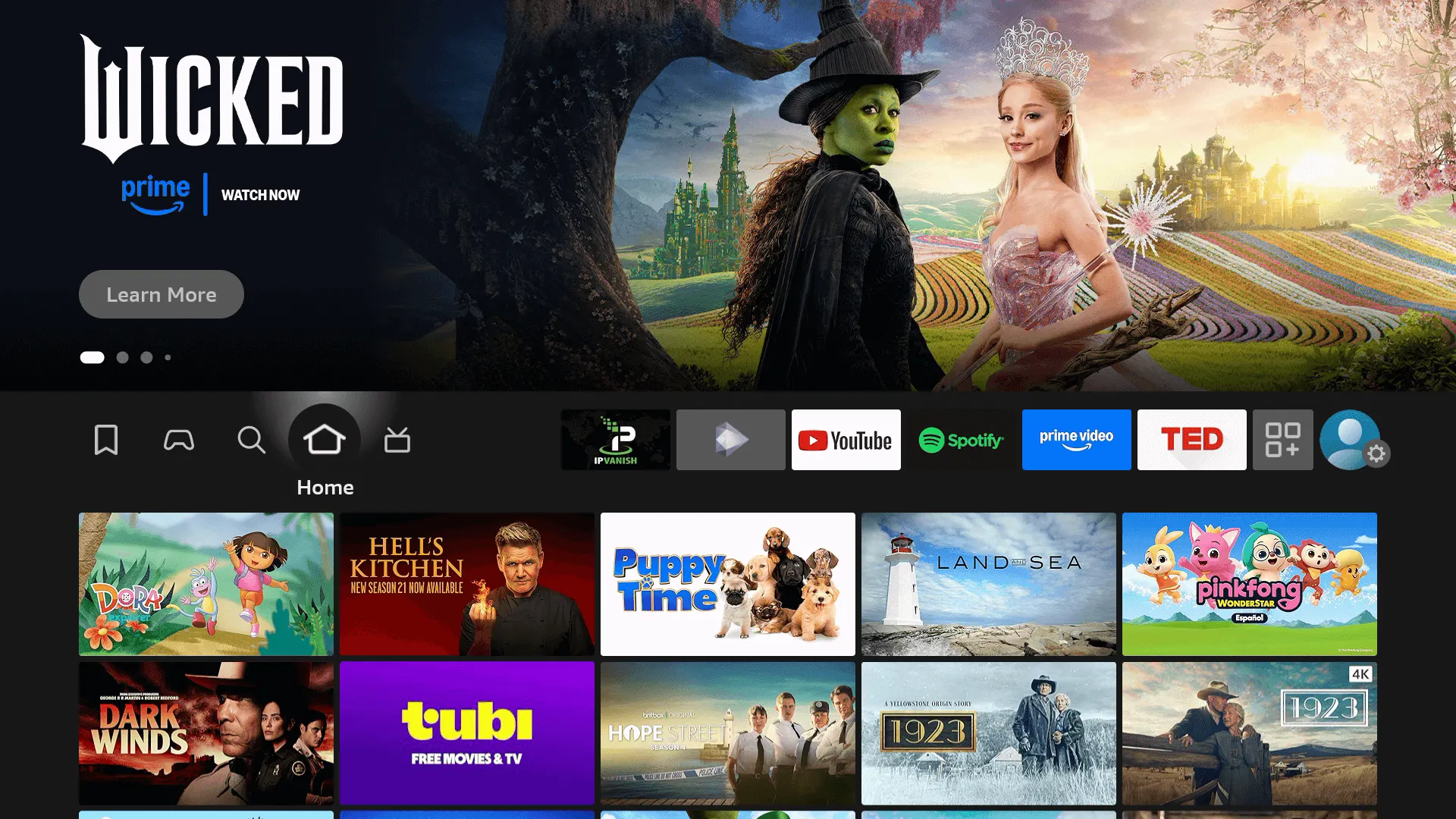
Firestick home screen — Apollo Group TV install step 2
2

Open the Firestick home screen

Press the Home button on the remote until the Fire TV home screen appears. This is where the Apollo Group TV install begins — every step from here uses on-screen menus, no computer needed.

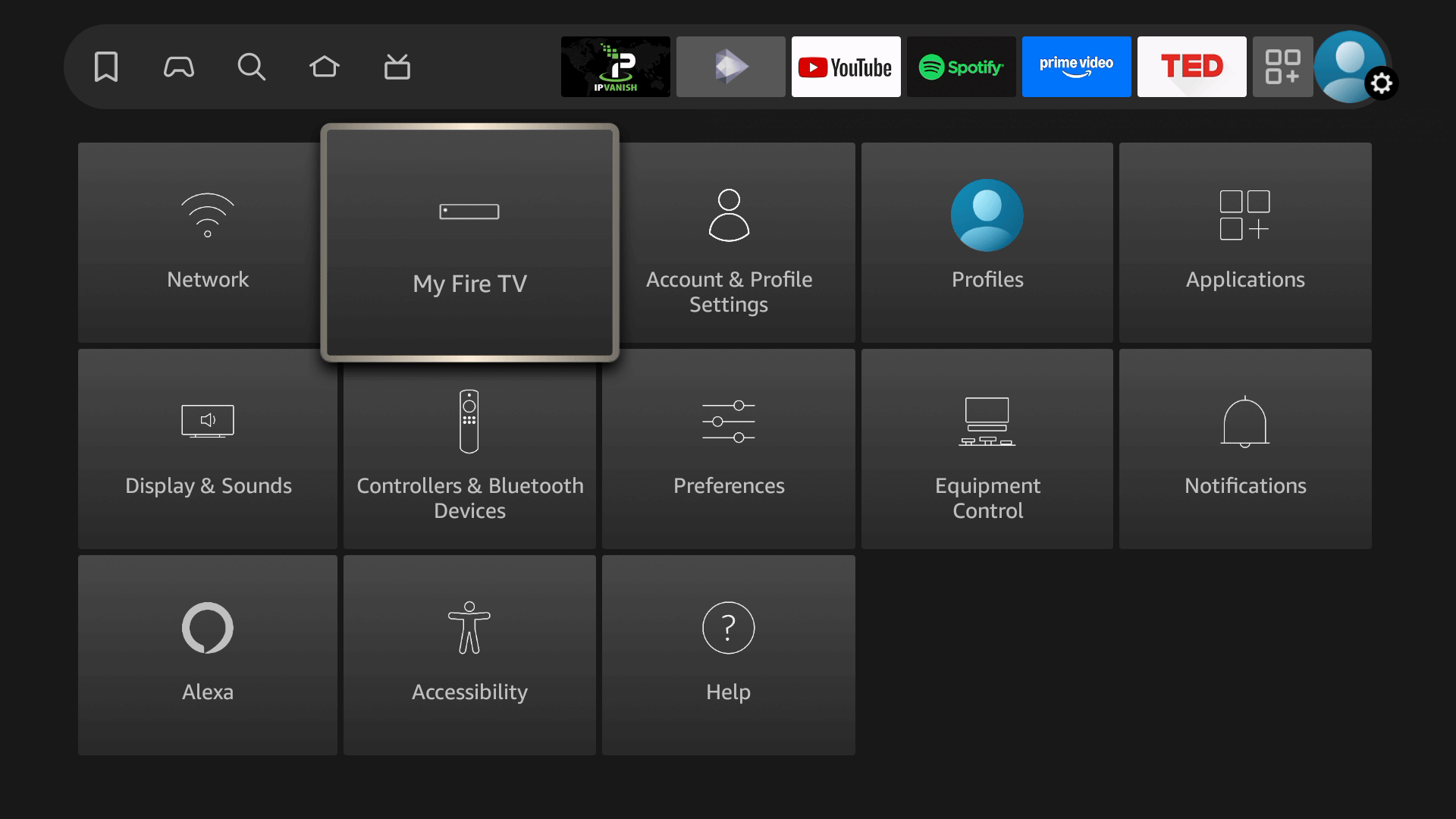
Open Settings → My Fire TV — Apollo Group TV install step 3
3

Open Settings → My Fire TV

From the home screen, scroll right to the gear icon, then select My Fire TV. This is where the developer toggle for the Apollo Group TV download lives.

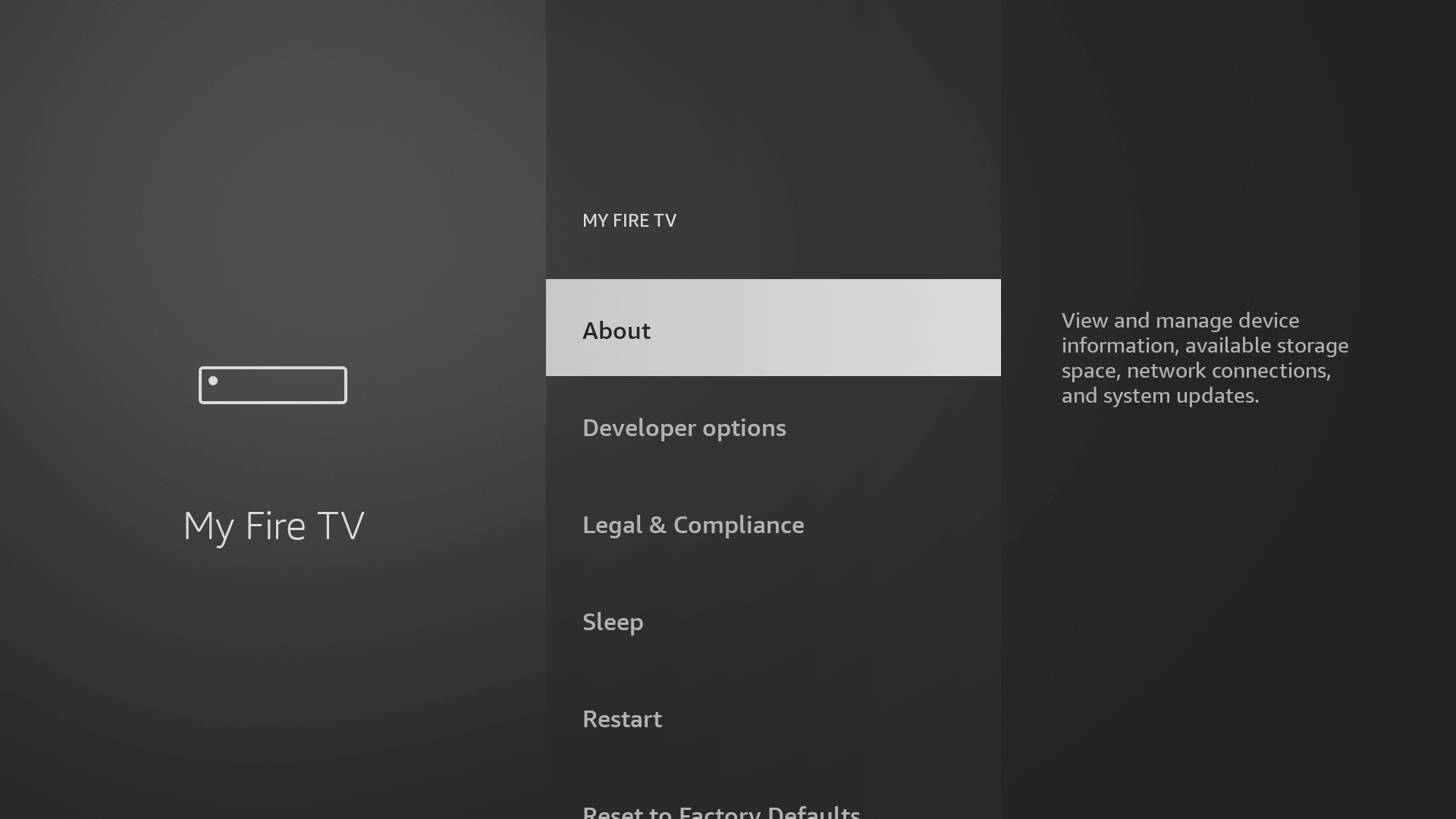
Tap About inside My Fire TV — Apollo Group TV install step 4
4

Open About

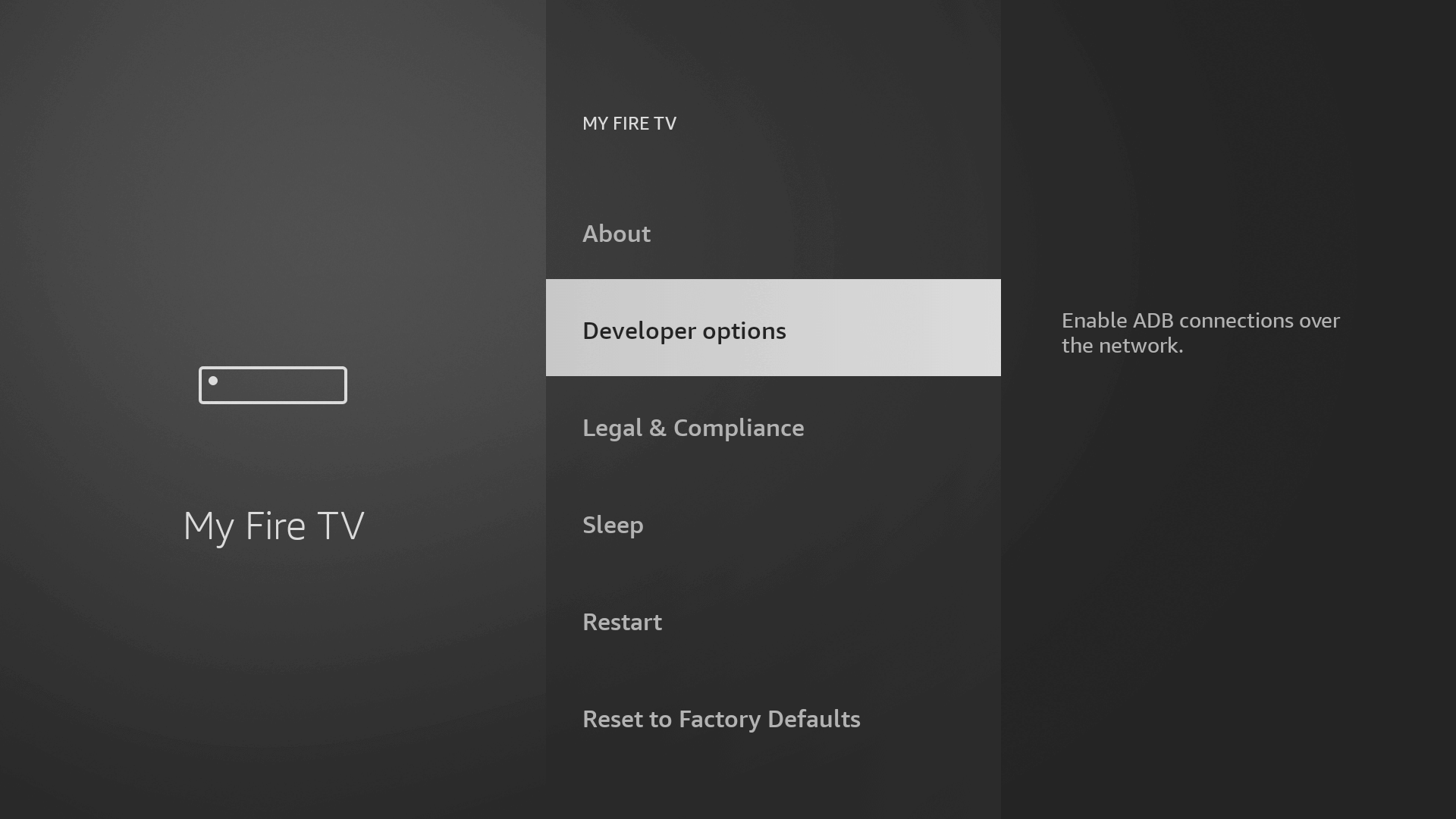
Inside My Fire TV, click About. This opens the device info screen — the trick to unlock Developer Options for the Apollo Group TV install hides one click further in.

Click the Fire TV name 7 times to unlock Developer Options — Apollo Group TV install step 5
5

Click your Fire TV name 7 times to unlock Developer Options

Highlight the device name at the top of About. Press the select button on your Firestick remote seven times. A small toast notification appears: "You are now a developer." Now go back one screen and you'll see Developer Options — the new menu the Apollo Group TV download needs.

Enable ADB debugging — Apollo Group TV install step 6
6

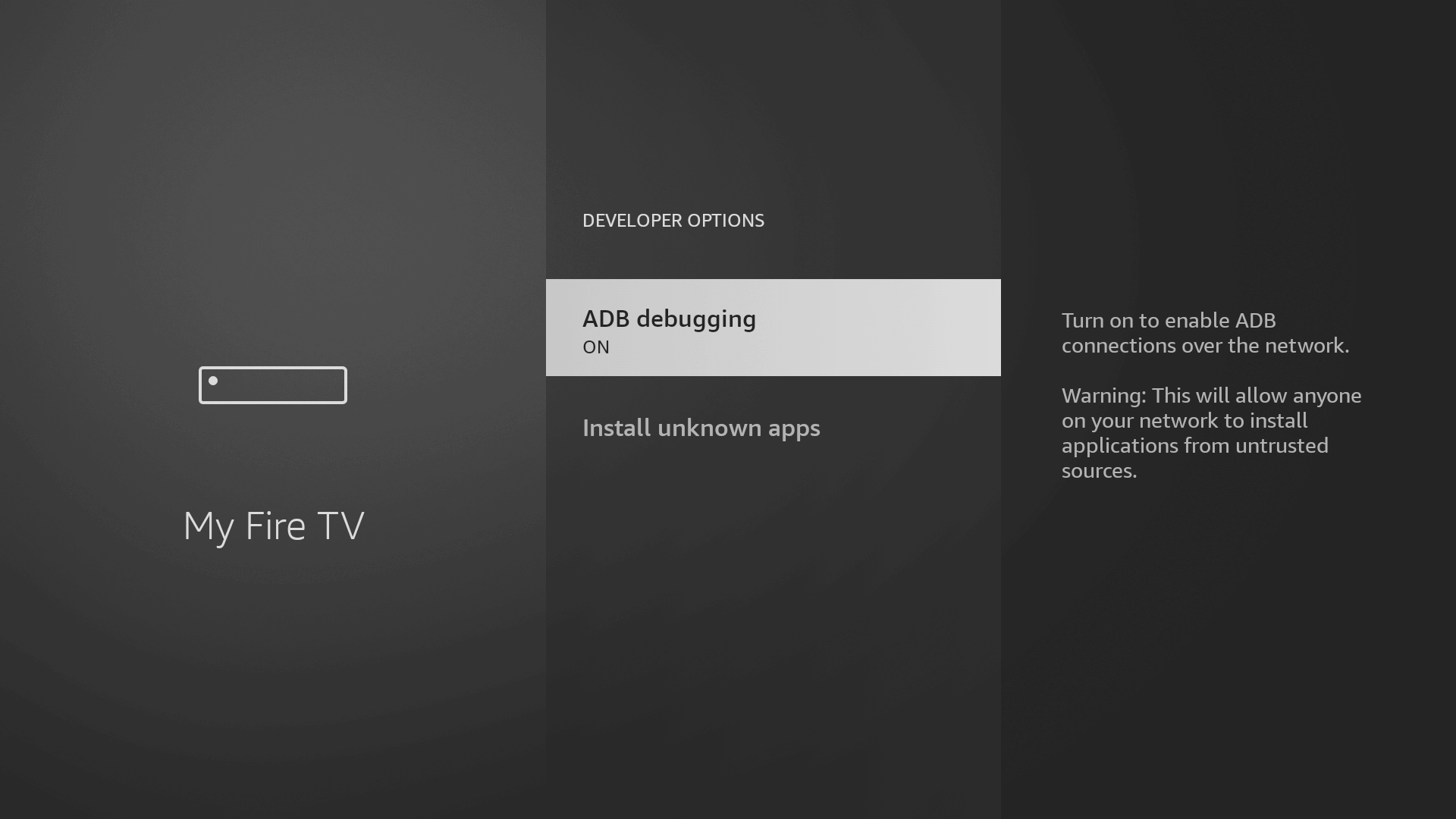
Enable ADB debugging

In Developer Options, toggle ADB debugging to ON. Some newer Firestick firmware uses different wording — look for "Apps from Unknown Sources" and turn it on. This is the toggle that lets the Apollo Group TV APK install at all.

Install Unknown Apps — allow Downloader so the Apollo Group TV APK can be installed (step 7)
7

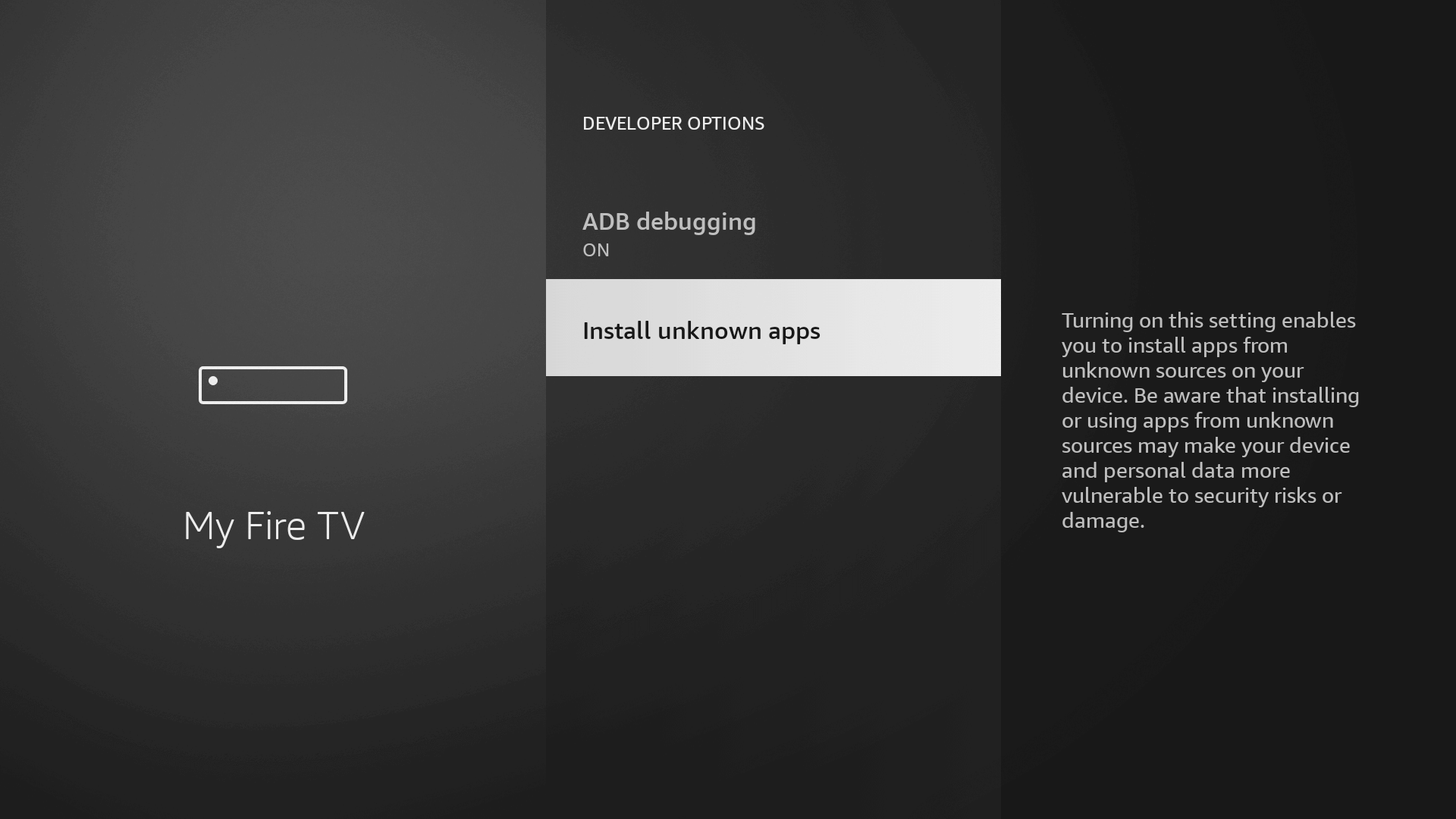
Allow Apps from Unknown Sources for Downloader

Open Install Unknown Apps. You'll see a list of apps. Find Downloader (you'll install it next, but the entry already exists) and toggle it ON. Without this toggle the Apollo Group TV install on Firestick blocks at the APK install screen.

Search Fire TV App Store for Downloader — Apollo Group TV install step 8
8

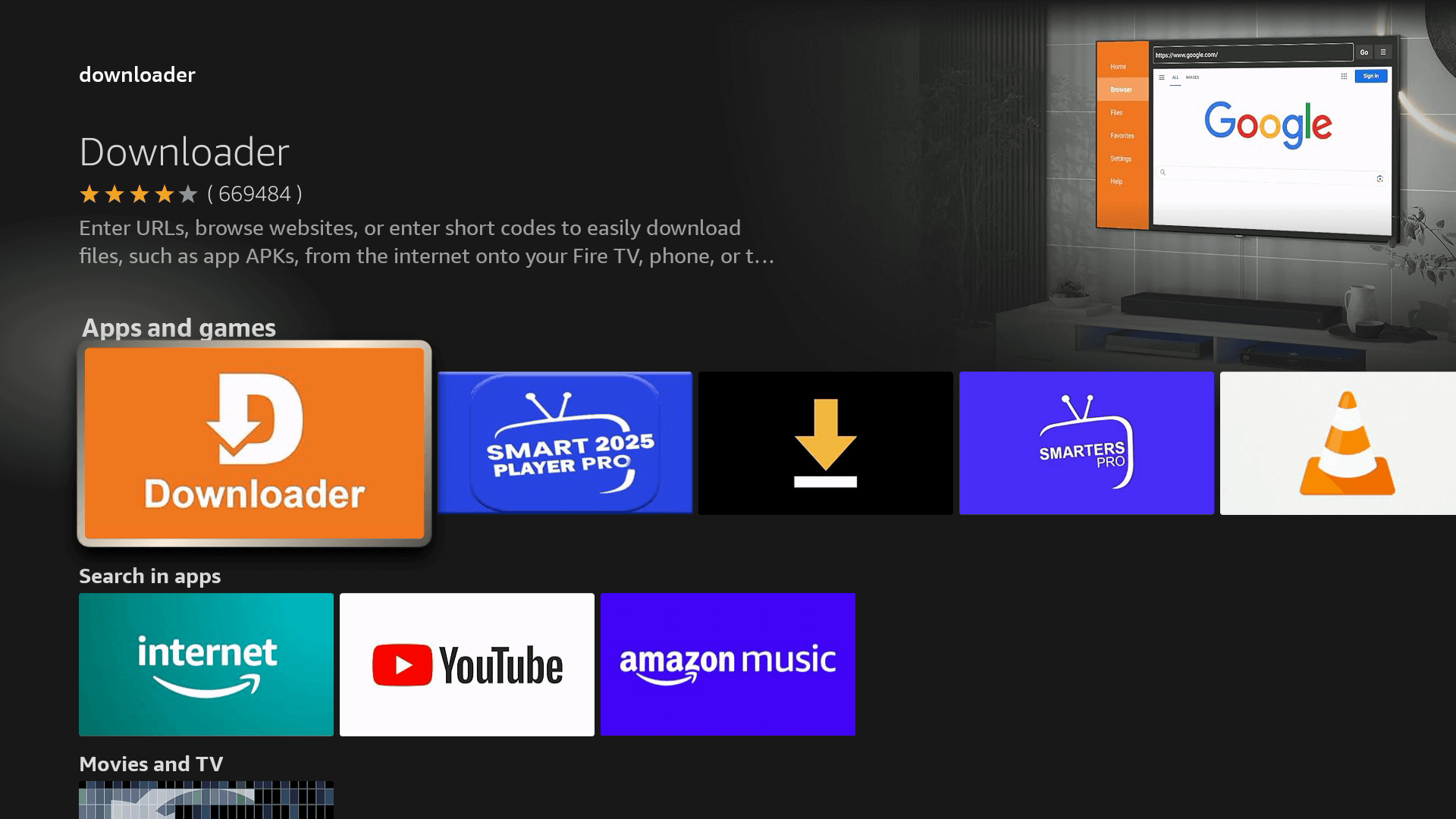
Search the Fire TV App Store for Downloader

Press Home, then the magnifying-glass icon. Type Downloader. The first result is the orange-icon app by AFTVnews — that's the one. About 4 million Firestick users already have it; it's free.

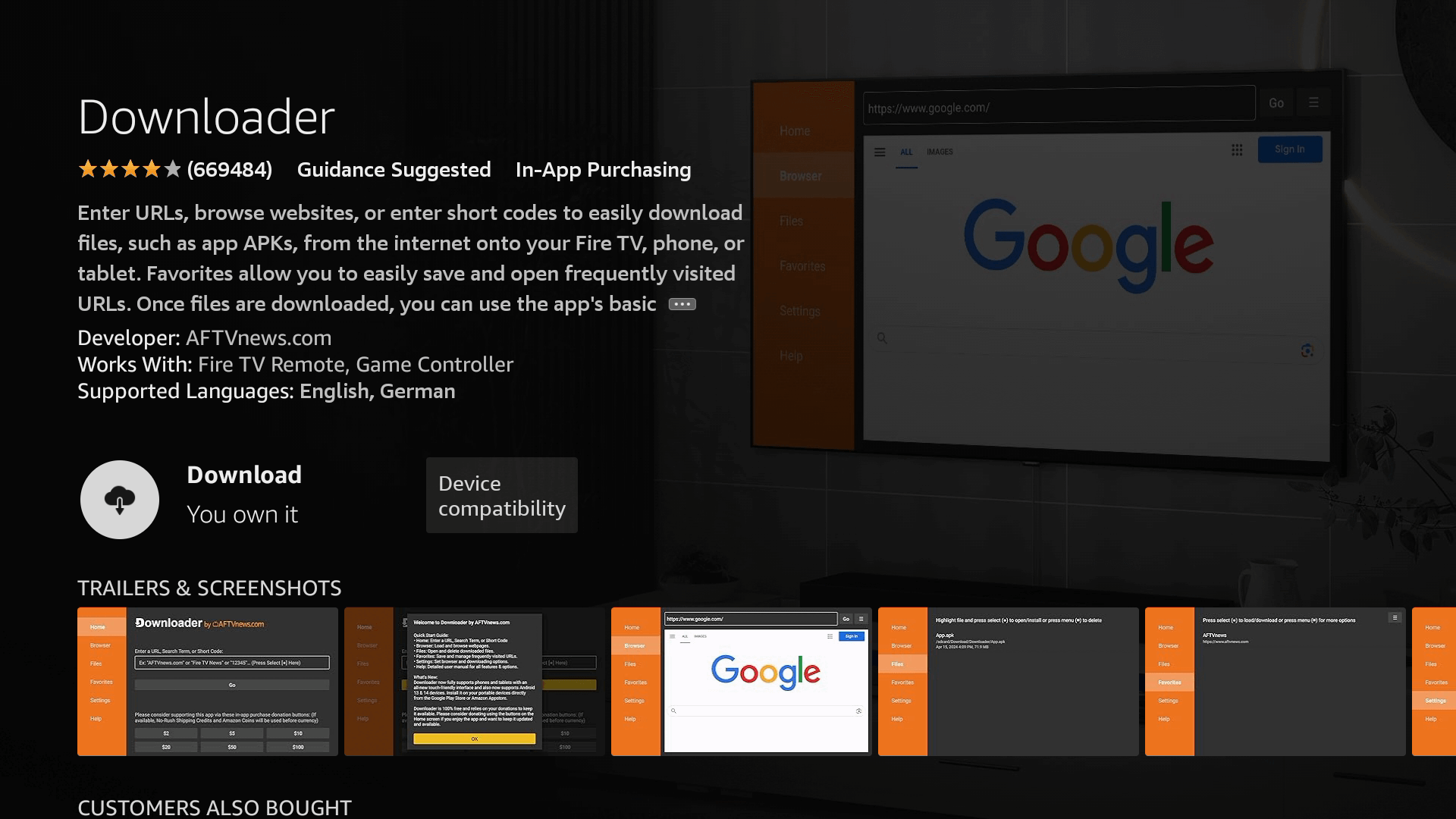
Install the Downloader app — Apollo Group TV install step 9
9

Install Downloader

Click Get or Download to install Downloader. It takes about 20 seconds on home Wi-Fi. This is the app that fetches the Apollo Group TV APK using the downloader code we emailed.

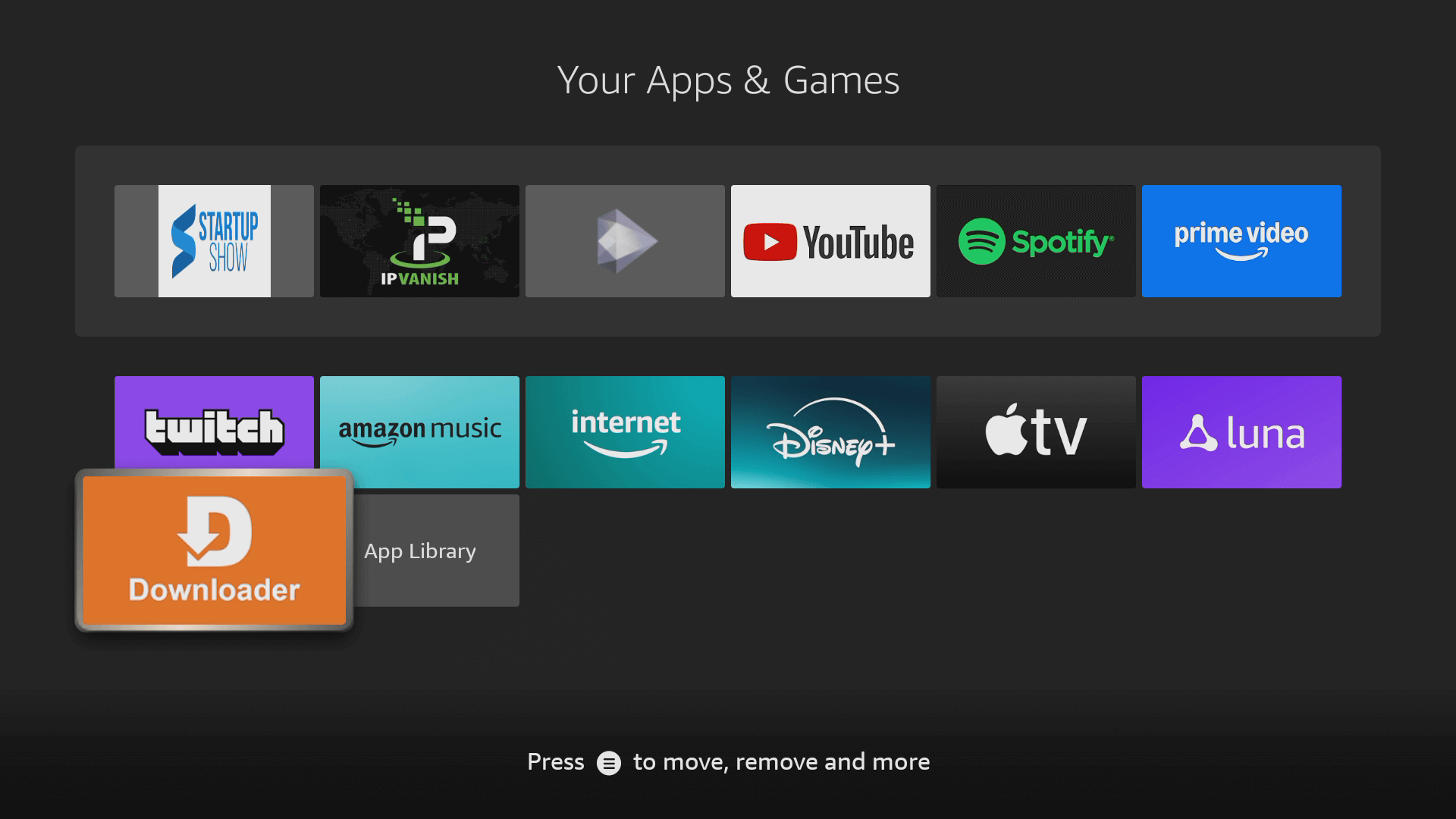
Open the Downloader app — Apollo Group TV install step 10
10

Open Downloader

Launch Downloader from your Firestick app drawer (or click Open right after install). On first launch it asks for permission to access local storage — click Allow. The Apollo Group TV download code is the next step.

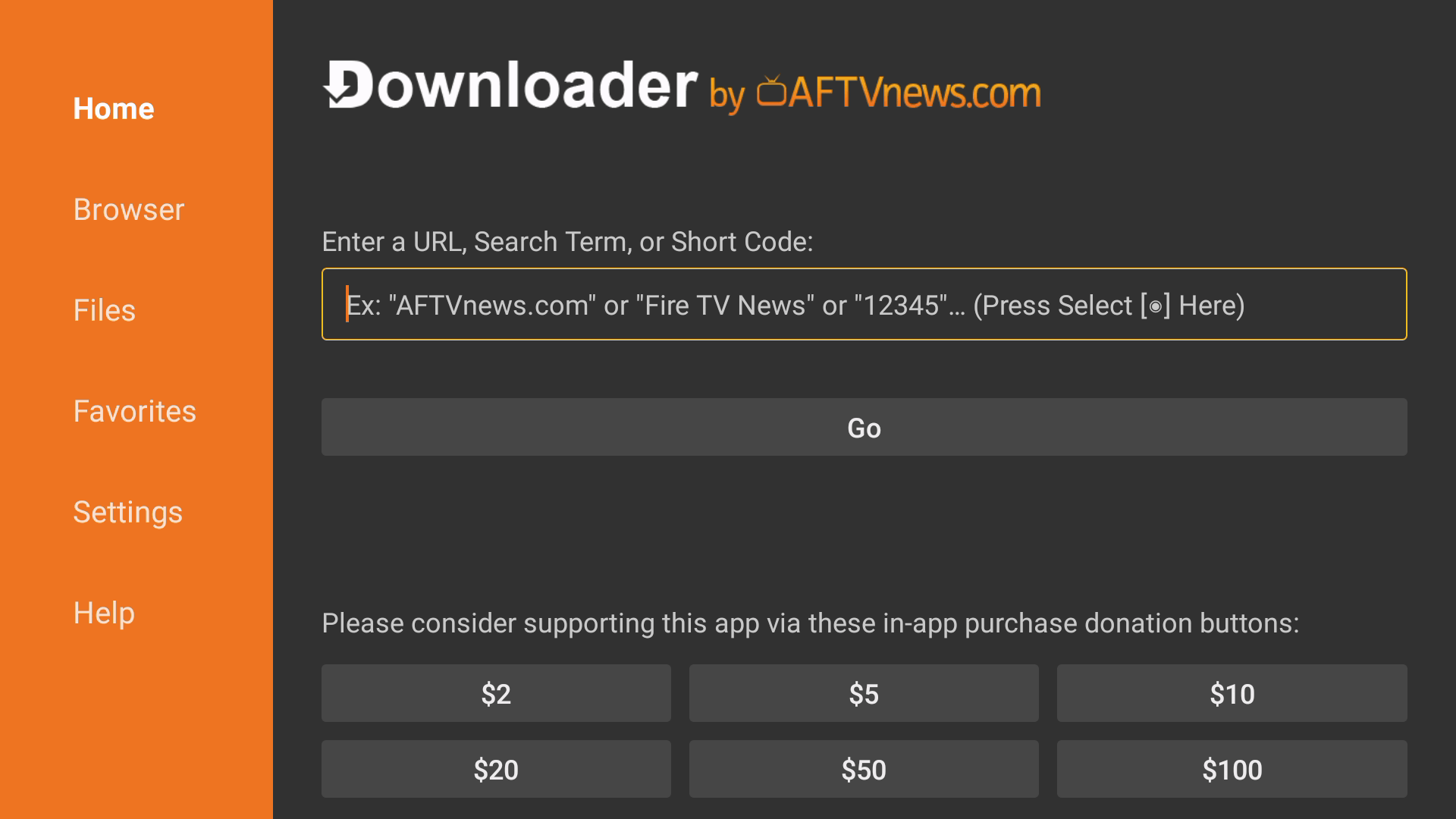
Enter the Apollo Group TV downloader code in the URL field — install step 11
11

Enter the Apollo Group TV downloader code

In Downloader's URL field, type the numeric Apollo Group TV download code from your activation email and press Go. The Apollo Group TV APK starts downloading — about 30 seconds on a normal connection. Don't have the code yet? Claim a free 24-hour trial and we email it inside 5 minutes.

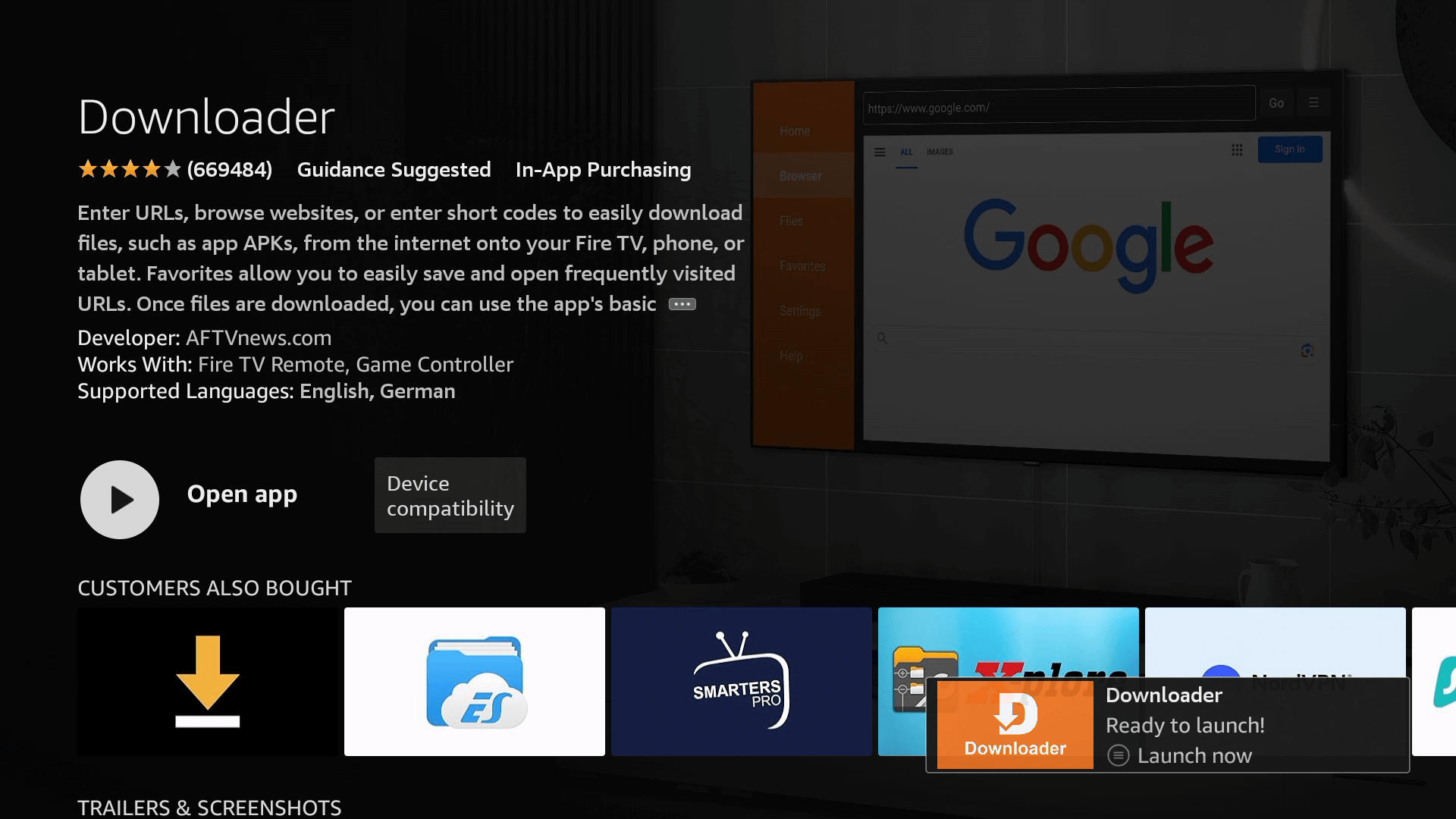
Apollo Group TV APK installed — ready to launch on Firestick (step 12)
12

Install the Apollo Group TV APK and open it

When the APK download finishes, click Install. After install completes, click Open. The Apollo Group TV app launches. Paste your activation code (also in the email) into the field on first launch — and you're streaming 29,000+ channels.

Done. The Apollo Group TV setup on Firestick is complete.
→ Get your Apollo Group TV downloader code now

Activation

How to enter your Apollo Group TV activation code after install

The Apollo Group TV install on Firestick has one final step after the APK is on the device: pasting your activation code into the app. Open the Apollo Group TV app, look for the field labelled Activation code or Sign in, and enter the alphanumeric code from the same email that contained the Apollo Group TV downloader code.

Within a few seconds the channel guide loads — 29,000+ live channels, the 130,000+ VOD library, every sports package, every premium movie network. If the activation fails, double-check there are no spaces at the start or end of the pasted code. The Firestick remote sometimes adds a leading space. If problems persist, email help@catchontv1.email — we resend codes within an hour, 24/7.

Troubleshooting

Apollo Group TV won't download on Firestick? Common fixes

Most failed Apollo Group TV installs come from one of four issues. Here's how to solve each one in under a minute.

"Install blocked" message

The Apollo Group TV APK can't install because Apps from Unknown Sources is OFF for Downloader. Go back to Settings → My Fire TV → Developer Options → Install Unknown Apps, find Downloader in the list, toggle it ON. Retry the Apollo Group TV download.

Downloader code "page not found"

The Apollo Group TV download code expired or was mistyped. Check the email for the exact numeric code (no spaces, no letters). If the code's older than 30 days, email us for a refresh.

"Not enough storage"

The Apollo Group TV APK is small (under 30 MB) but the original Firestick Lite ships with 8 GB total. Uninstall an unused app from Settings → Applications → Manage Installed Applications and retry the Apollo Group TV install.

App opens but no channels load

Activation code wasn't accepted. Re-paste it without leading/trailing spaces. If still failing, email help@catchontv1.email — Apollo Group TV support replies within an hour.

Other devices

How to install Apollo Group TV on Android TV, Nvidia Shield & phone

Apollo Group TV install isn't Firestick-only. The same Apollo Group TV downloader code works on every Android-based device.

📺

Android TV install

Sony, TCL, Hisense, Xiaomi Mi Box. Open the Play Store, install Downloader (yes, same app), enter the Apollo Group TV downloader code, install the APK. Identical flow to Firestick.

🎮

Nvidia Shield install

Best device for 4K Apollo Group TV. Settings → Device Preferences → Security → toggle Unknown Sources, install Downloader, enter the Apollo Group TV download code.

📱

Android phone install

Open the Apollo Group TV downloader code link in your phone's browser. Tap the APK, allow Chrome to install unknown apps when prompted, install. Done in under a minute.

App features

What the Apollo Group TV app for Firestick actually does

Once installed, the Apollo Group TV app turns your $40 Firestick into the most loaded streaming setup in the room. Here's the feature list.

📺

29,000+ Live Channels

ESPN, Fox Sports, NBC Sports, NFL Network, NFL RedZone, NBA TV, MLB Network, NHL Network, HBO, Showtime, Starz, Paramount+, AMC, FX — every cable network the Apollo Group TV app on Firestick streams in HD or 4K.

🎬

130,000+ VOD titles

Latest Hollywood releases, every HBO box set, every Showtime original — the Apollo Group TV app's on-demand shelf updates daily.

📡

4K on major events

Premier League, UFC PPV, F1, NFL — the Apollo Group TV app for Firestick streams these in 4K HDR where the source feed supports it.

📅

Full EPG

7-day electronic programme guide built into the Apollo Group TV app — see what's on every channel for the next week.

Catch-up TV

Pull last night's NBA game, this morning's news, yesterday's UFC PPV — the Apollo Group TV app's catch-up library covers most US channels.

👥

Multi-device

One Apollo Group TV activation code unlocks the app on up to 5 simultaneous devices, depending on your plan tier.

Real installs

What Firestick owners say after the Apollo Group TV install

Notes from US households who completed the Apollo Group TV setup on their own Firestick in the last 90 days.

★★★★★

Apollo Group TV download took longer to read the email than to actually do. Five minutes from clicking the link to watching the Cowboys game on my Firestick 4K Max.

Marcus T.
Dallas, TX · Firestick 4K Max
★★★★★

Was nervous about sideloading. Followed the Apollo Group TV install steps screen by screen, no problems. The Downloader code worked first try.

Jennifer L.
Tampa, FL · Firestick Lite
★★★★★

Apollo Group TV app for Firestick is rock-solid. Streamed a 4-hour UFC PPV in 4K, zero buffering, zero drops. Best Firestick app I've ever installed.

Derek M.
Columbus, OH · Firestick 4K
About

About the Apollo Group TV app

The Apollo Group TV app (also searched as Apollo Group IPTV app, Apollo IPTV app, ApolloGroup TV app, or Apollo TV Group app — same brand, multiple spellings) is the official Android-based player for the Apollo Group TV service. The Apollo Group TV download is a single APK that installs on any Firestick (Stick, Lite, 4K, 4K Max, Cube), Android TV box, Nvidia Shield, Chromecast with Google TV, or Android phone or tablet.

Apollo Group TV has been running since 2024 with 50,000+ paying subscribers and a 99.9% uptime SLA. The Apollo Group TV app for Firestick is updated regularly through the same Downloader code — just enter it again to pull the latest APK. Free to download, plans from $19.99/month after the 24-hour trial. Claim your trial and downloader code →
Apollo Group TV install FAQ

Frequently asked questions about the Apollo Group TV download & install

To download the Apollo Group TV APK on Firestick, install the free Downloader app from the Fire TV App Store, enable Apps from Unknown Sources for Downloader, then enter the Apollo Group TV downloader code we email after sign-up. The Apollo Group TV APK installs in about 30 seconds on home Wi-Fi.

The Apollo Group TV downloader code is a short numeric code we email after you sign up for a free trial or paid plan. You type the Apollo Group TV download code into the Downloader app's URL field on your Firestick and the Apollo Group TV APK auto-downloads.

Yes. The Apollo Group TV app is free to download on Firestick, Android TV, Nvidia Shield and Android phones. You only need an activation code (free 24-hour trial or paid plan from $19.99/month) to unlock the live channels and VOD library.

The full Apollo Group TV install on Firestick takes about 5 minutes — about 60 seconds to enable sideloading, 60 seconds to install the Downloader app, 30 seconds to download the Apollo Group TV APK, and the rest to enter your activation code.

Yes. Apollo Group TV works on every Firestick generation including the original Stick, Lite, 4K, and 4K Max plus the Fire TV Cube. The Firestick 4K Max is the recommended device for 4K sports streaming with HDR.

You don't need a computer to install the Apollo Group TV app for Firestick. Use the Firestick remote, install the free Downloader app from the Fire TV store, enter the Apollo Group TV downloader code, and the APK installs directly on the Firestick.

Yes. The Apollo Group TV install works on Android TV (Sony, TCL, Hisense, Xiaomi Mi Box), Nvidia Shield, and Chromecast with Google TV. Use the same Downloader code or sideload the APK directly via a USB drive.

If Apollo Group TV won't download on your Firestick, the most common cause is Apps from Unknown Sources being switched off. Open Settings → My Fire TV → Developer Options → Install Unknown Apps and toggle Downloader to ON, then retry the Apollo Group TV download.

Sign up for a free 24-hour trial or buy a paid plan. Within 1–5 minutes you'll receive an email containing the Apollo Group TV download code, the activation code, and a one-page Firestick setup PDF.

Yes. Sideloading the Apollo Group TV APK on a Firestick you own is legal — Amazon's own Developer Options exposes the Install Unknown Apps toggle for exactly this purpose. The Apollo Group TV app is licensed for personal home use under our terms of service.

Ready to install

Get your Apollo Group TV downloader code now

Free 24-hour trial. No credit card. Apollo Group TV downloader code, activation code, and Firestick setup PDF emailed in 1–5 minutes. Stream 29,000+ live channels in 4K from your $40 Firestick.